Today, I also tried to
a. Delete the CmakeCache
b. Use the command
cmake -DCMAKE_INSTALL_PREFIX="C:\Program Files\geant4_10_06-install" "C:\Program Files\geant4_10_06" -DGEANT4_USE_QT=ON -DCMAKE_PREFIX_PATH="C:\Qt\5.15.0\winrt_x64_msvc2019"
but I get this error
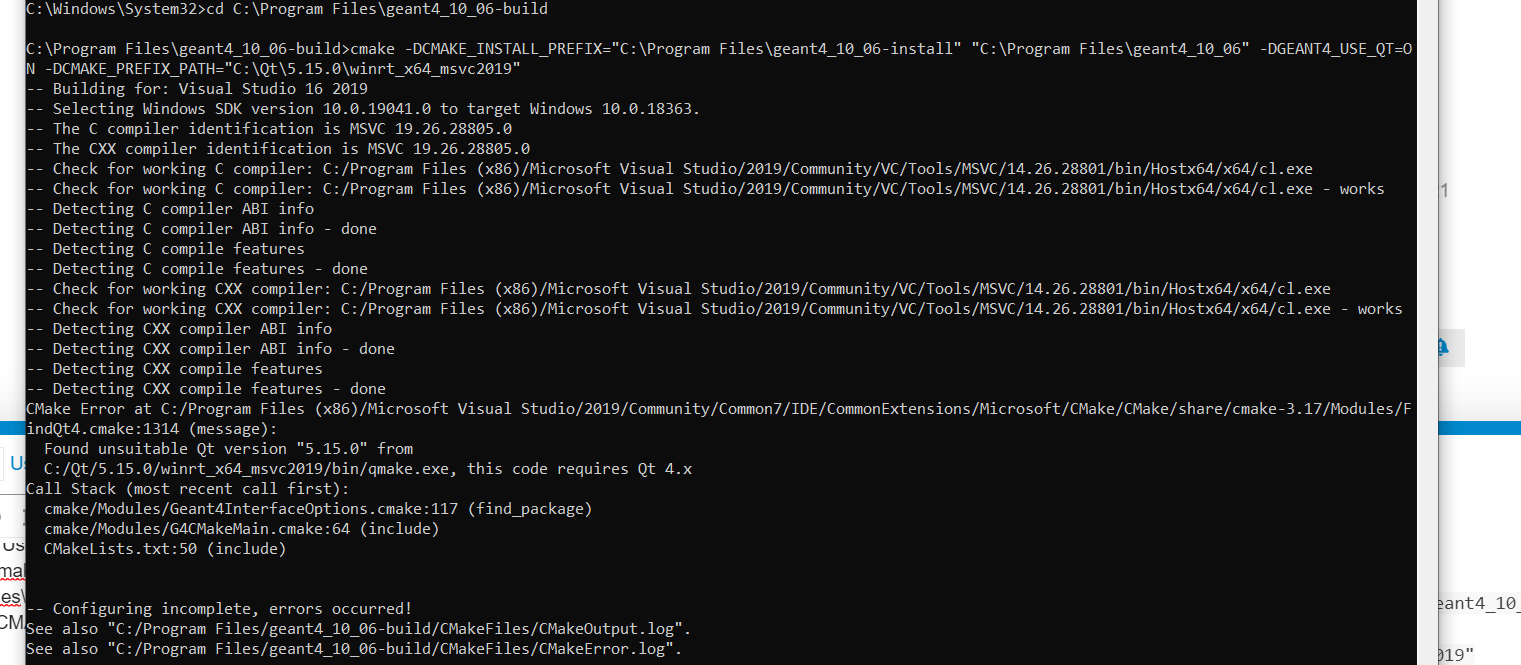
Notice I’ve the same problem if I use C:\Qt\5.15.0\winrt_x86_msvc2019
a.Delete CmakeCache
b. cmake -DCMAKE_INSTALL_PREFIX="C:\Program Files\geant4_10_06-install" "C:\Program Files\geant4_10_06" -DCMAKE_PREFIX_PATH="C:\Qt\5.15.0\mingw81_32" -DGEANT4_USE_QT=ON
It says to fint Qt, but when I digit the command
cmake --build . --config Release --target install
I get many errors
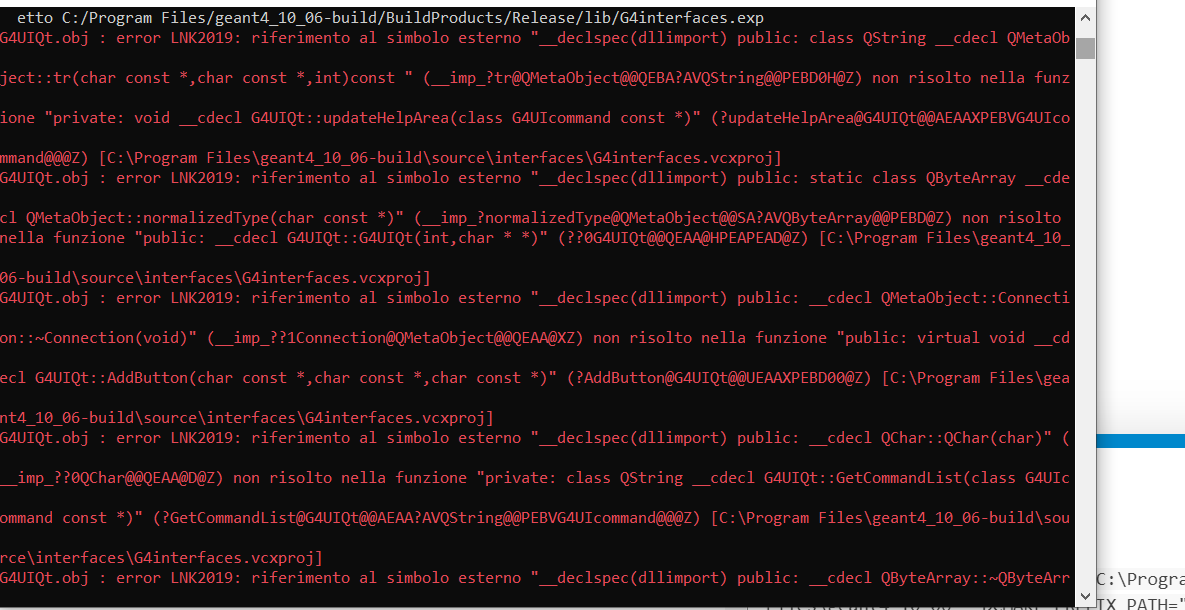
here the log
Log.txt (326.6 KB)
Notice I’ve same problem if I use
C:\Qt\5.15.0\mingw81_64
So…what should I do to set QT?
@bmorgan, maybe, do you know how to fix this problem