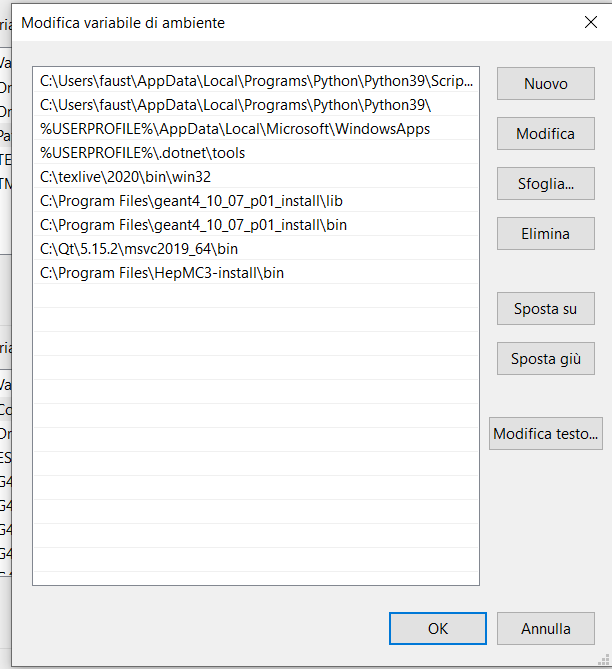
Hi @Zazo when I tried to install QT the first time I didn’t set the path!
Install Geant in this way
cmake -DCMAKE_INSTALL_PREFIX="C:\Program Files\geant4_10_07-install" "C:\Program Files\geant4_10_07" DCMAKE_PREFIX_PATH="C:\Qt\5.15.0\msvc2019_x64" -DGEANT4_USE_QT=ON
Obviously change C:\Program Files\geant4_10_07-install C:\Program Files\geant4_10_07 C:\Qt\5.15.0\msvc2019_x64 writing respectively:
- The directory where you have to install G4
- The directory where you have G4 sources
- The directory where tou have QT for your system (in my case it’s a x64)
At the end of the installation, you have to set the enviroment variables…ie. you have to set the path where the DLLs (Qt5Widgets.dll, Qt5OpenGl, ecc) are under C:\Qt\5.15.0\msvc2019_x64 to PATH, like for the Geant4 DLLs (in my case C:\Qt\5.15.2\msvc2019_64\bin)