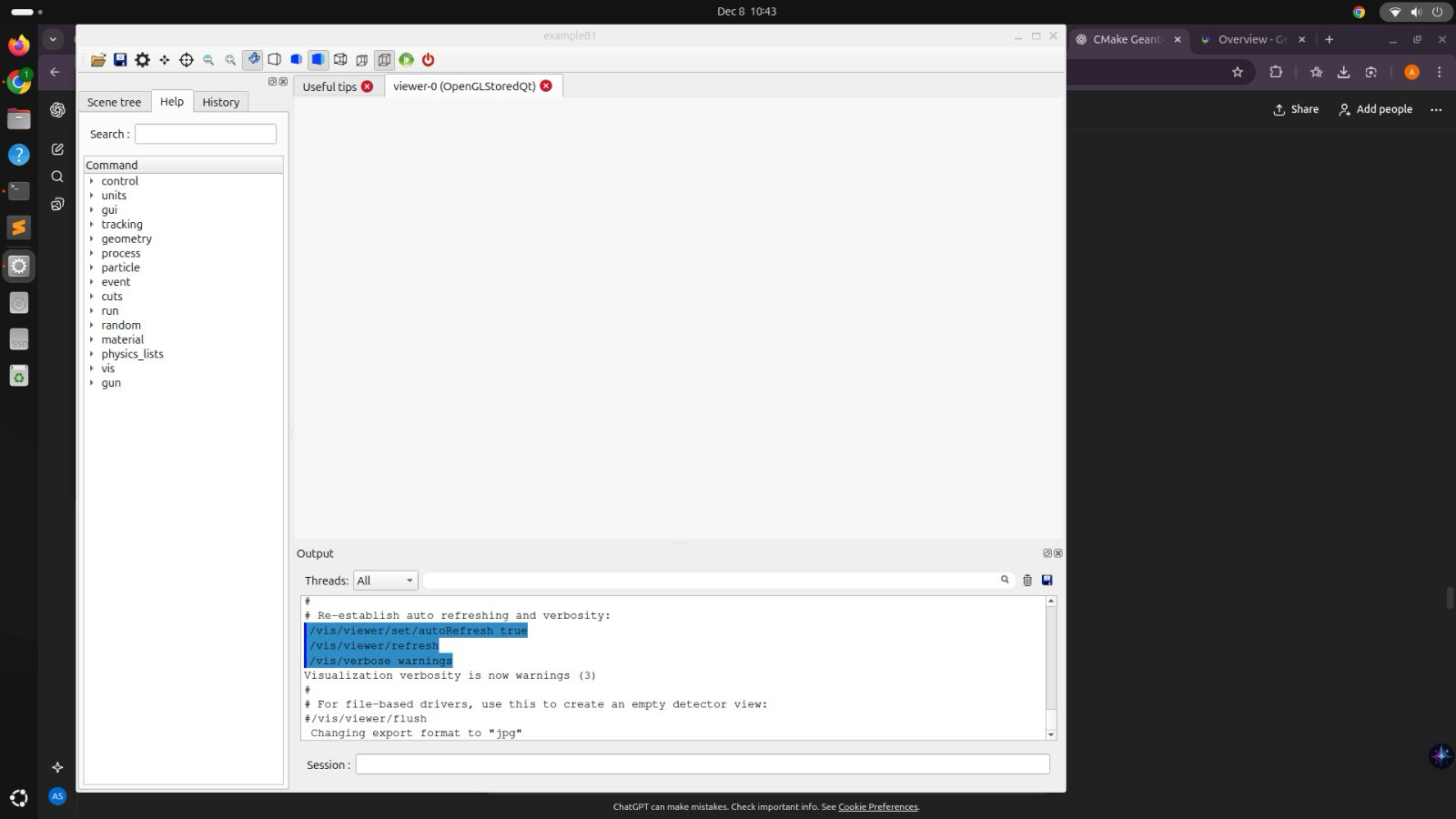
I’m having trouble with Geant4 visualisation on my Ubuntu system. When I launch any example (like B1), the visualisation window appears, but it remains completely black, and the geometry is never drawn.
I’m running Geant4 v11.3.2 compiled from source on Ubuntu 24.04.3 LTS.
Compilation Flags Used:
Bash
-DGEANT4_USE_QT=ON
-DGEANT4_USE_OPENGL_X11=ON
Problem: The window opens, but the output pane confirms successful initialisation (/vis/viewer/refresh, /vis/verbose warnings), yet the display is black. (See attached screenshot).
Request for Help
Given this is a clean source installation, could this be a known driver conflict or library issue specific to Ubuntu 24.04.3 or my hardware’s graphics drivers (OpenGL)?
Any advice on troubleshooting the black visualisation screen would be greatly appreciated!
I have uninstalled and then reinstalled Geant4 multiple times, but the error persists.
This is a common problem. I am guessing that your Linux version uses the Wayland display server as the default. When you build Geant4 with both Qt and X11 on, the graphics (“geometry”) window requires X11 which Wayland does not have. There are several solutions which you can get by searching on-line.
If you are running Gnome desktop, you might be able to configure your system to run Gnome with Xorg, which uses X11. That will fix the blank window in the Qt GUI. That worked for me on an earlier version of Fedora with GNOME, but I am not familiar with Ubuntu and its options,
Another trick I tried was to force Qt to use the X11 backend. To do so, I ran the B1 example by typing in a terminal window:
QT_QPA_PLATFORM=xcb ./exampleB1
instead of the usual:
./exampleB1
That worked on a Fedora 43 KDE desktop which has Wayland by default.
Those are just two things that worked for me. But I am not a visualization expert, so I hope they can chime in here.