Hello Kim,
Please trust Geant4 overlap check, if it reports an overlap, then the overlap really exists. In your case the first overlap is very tiny, 9.61774 And = ~1e-6 mm, so it, indeed, could be a problem related to precision.
The second overlap is more serious, it reports a defect in the geometry, namely, one volume is mistakenly placed inside another volume.
If to set the last parameter in G4PVPlacement to false, then the overlap check will not be applied. However, it is better to fix all existing overlaps.
Importing geometries from CAD is always tricky, please see the following topic:
Tessellation (generation of mesh structure) may introduce artificial overlaps. For example, on the image below there are two tubes (black), one inside another. The tubes do not intersect, but their meshes (red) are clearly do.
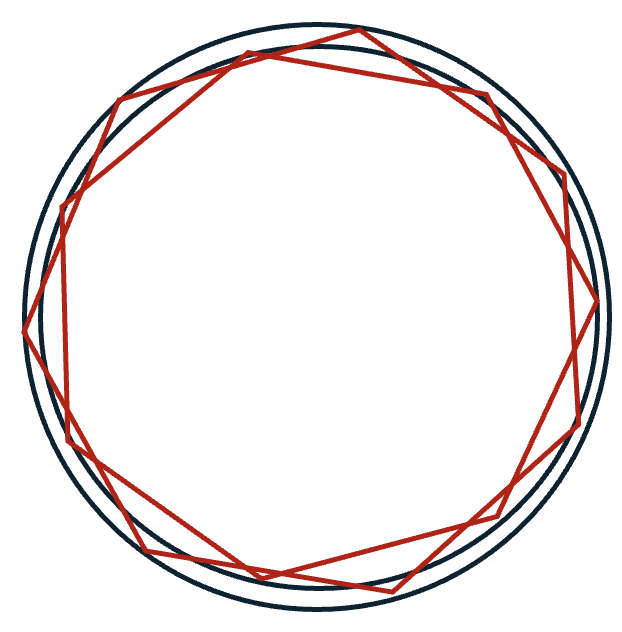
So, if the geometry is not very complex, I would recommend to describe it directly in Geant4. Please also note that in this case the simulation will be much faster.